Four Tips for Making the Perfect Home Office: Best Ideas for Comfort and Productivity
Working from home has become an important part of everyday life for many Americans. Whether you work remotely full-time, operate […]
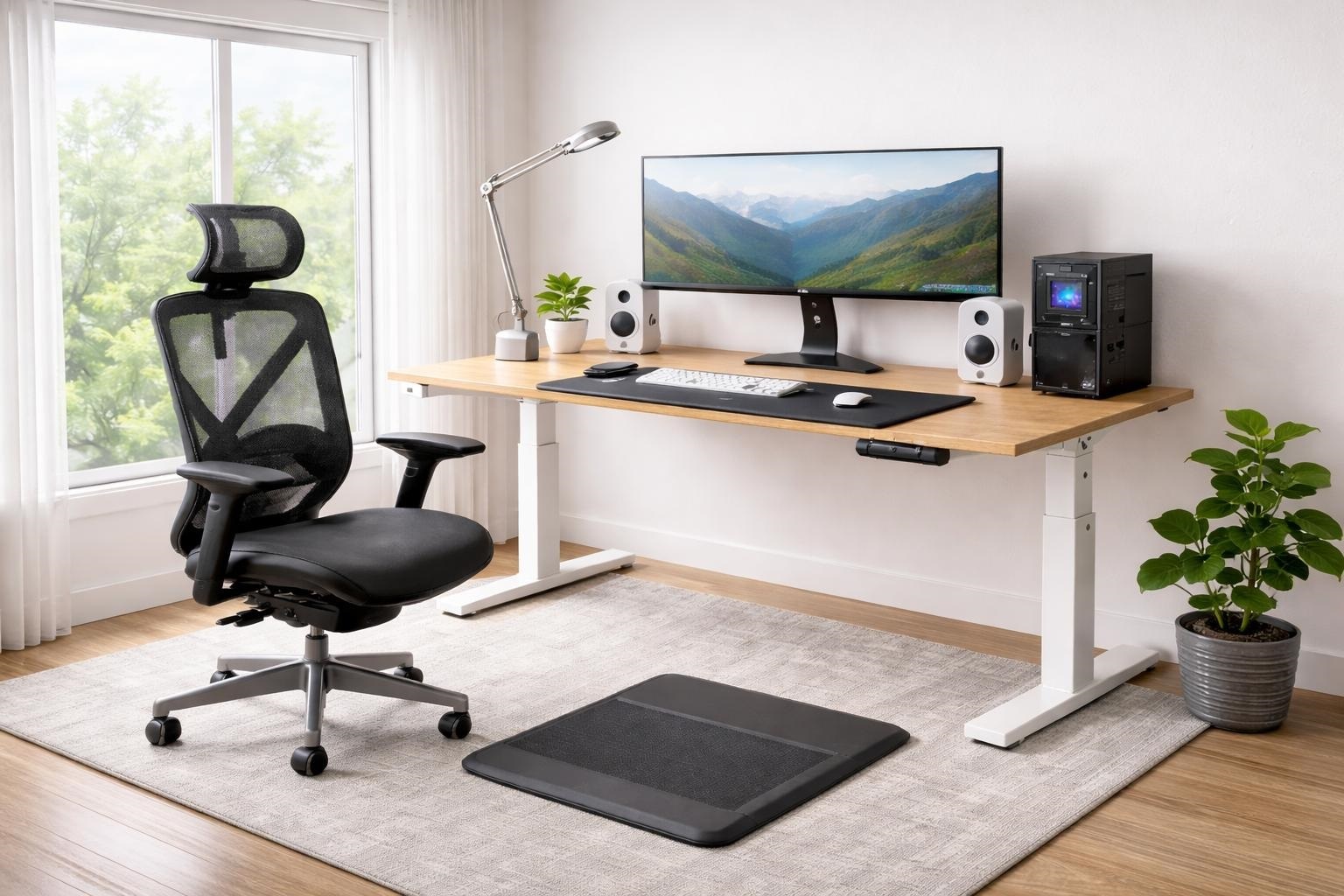
Working from home has become an important part of everyday life for many Americans. Whether you work remotely full-time, operate a small business, study online, or occasionally complete professional tasks from home, having a dedicated workspace can make daily responsibilities more manageable.
However, creating a functional home office involves more than placing a laptop on a table. Your workspace should support comfortable working positions, provide suitable lighting, reduce unnecessary distractions, and accommodate the equipment you use regularly.
Understanding the four tips for making the perfect home office can help you transform almost any available space into a comfortable and practical working environment.
You do not necessarily need a large room, expensive furniture, or elaborate renovations. Even a small bedroom corner can become an effective workstation when arranged thoughtfully.
The Occupational Safety and Health Administration (OSHA) emphasizes that computer workstations should be adjusted to individual needs, with attention to body positioning, equipment placement, and the surrounding environment. Occupational Safety and Health Administration
This guide explores four essential home office improvements, including choosing the right location, selecting ergonomic furniture, improving lighting, and organizing your workspace.
Why Having a Well-Designed Home Office Matters
A home office should make it easier to complete work comfortably and maintain a reasonable separation between professional and personal activities.
Poor workspace arrangements can introduce avoidable challenges.
For example, an uncomfortable chair may make prolonged computer work difficult, while inadequate desk space can cause you to position frequently used equipment awkwardly.
Similarly, distracting surroundings and disorganized supplies can interrupt your workflow.
A thoughtfully arranged home office helps address these concerns by creating a consistent environment for daily activities.
Benefits of an Effective Home Workspace
A practical workspace can offer several advantages:
- More comfortable seating and computer use.
- Convenient access to essential equipment.
- Fewer unnecessary interruptions.
- Better organization of documents and supplies.
- Greater control over lighting and temperature.
- A clearer distinction between work and relaxation.
- Improved flexibility for different tasks.
Your ideal setup will depend on how you work, your available space, and your personal preferences.
Rather than copying an attractive office photograph exactly, focus on designing a space that supports your routine.
1. Choose the Right Location for Your Home Office
The first of the four tips for making the perfect home office is selecting a suitable location.
Where you place your workspace can influence your comfort, privacy, concentration, and ability to manage everyday household activities.
While a separate room is often convenient, it is not essential.
A quiet bedroom corner, unused dining area, converted guest room, or properly designed alcove can provide sufficient space for many remote workers.
Find a Space With Fewer Distractions
Begin by considering how much noise and activity occurs in different parts of your home.
If you frequently attend virtual meetings or make client calls, a location away from televisions, busy hallways, and household conversations may be preferable.
A room with a door can provide additional privacy, but there are alternatives for smaller homes.
Bookshelves, room dividers, curtains, and thoughtful furniture placement can help define a separate working area.
If household noise remains an issue, headphones with a microphone may improve communication during calls.
Consider the Available Floor Space
Your chosen location should accommodate your desk, chair, and essential equipment without restricting movement.
Allow enough room to pull your chair backward and stand comfortably.
Also consider electrical outlets, internet connectivity, ventilation, and nearby storage.
Avoid running loose electrical cables through walking areas, where they may create tripping hazards.
Before buying furniture, measure the available space and check whether doors, drawers, and cabinets can open fully.
Create a Clear Work Zone
A dedicated work zone can help establish boundaries when professional and personal activities happen in the same home.
For example, placing your workstation against one wall and keeping work-related supplies in nearby storage can create a recognizable office area.
At the end of the day, closing your laptop and putting away work materials may help reinforce the transition away from work.
The goal is to make your office convenient without allowing equipment and paperwork to spread throughout the house.
2. Invest in Comfortable and Ergonomic Furniture
Furniture is one of the most important elements of an effective home office.
Since remote workers may spend several hours using computers, desks and chairs should support comfortable body positioning.
The second of our four tips for making the perfect home office is selecting furniture based on adjustability and fit rather than appearance alone.
Choose a Supportive Office Chair
A comfortable office chair should provide appropriate support for your back and allow your feet to rest on the floor or a stable footrest.
Useful features include adjustable seat height, lumbar support, a suitable seat depth, and armrests that do not force your shoulders upward.
According to OSHA’s workstation guidance, neutral sitting positions generally involve relaxed shoulders, supported lower backs, and feet resting securely on the floor or a footrest. Occupational Safety and Health Administration
A chair does not need to be the most expensive model available.
What matters is whether it fits your body and allows practical adjustments.
If you currently use a basic chair, a supportive cushion or footrest may provide a temporary improvement while you evaluate better options.
Select a Desk That Fits Your Work
Your desk should accommodate the equipment you use most frequently.
Someone working primarily on a laptop may need less space than a graphic designer using two monitors, a drawing tablet, and additional accessories.
Choose a desk that allows the keyboard and mouse to remain within comfortable reach.
You should also have adequate legroom beneath the work surface.
Standing desks can offer flexibility, but standing all day is not automatically better than sitting.
Alternating positions and taking regular movement breaks remain important.
The CDC’s National Institute for Occupational Safety and Health recommends varying posture and avoiding prolonged periods in one working position. CDC
Position Your Monitor Correctly
Computer screen placement can influence neck comfort and viewing posture.
OSHA recommends positioning a monitor directly in front of the user, generally between 20 and 40 inches from the eyes, depending on readability and individual needs.
The top of the screen should usually be at or slightly below eye level. Occupational Safety and Health Administration
If you primarily use a laptop, consider a separate keyboard and mouse with a laptop stand.
This arrangement may make it easier to position the screen and input devices independently.
3. Improve Lighting and Create a Comfortable Atmosphere
Good lighting is essential for a practical home office.
The third of the four tips for making the perfect home office focuses on balancing daylight, artificial lighting, and environmental comfort.
An office that is too dark can make reading and detailed work uncomfortable.
Excessively bright light or reflections on a computer screen can also interfere with visibility.
Make the Most of Natural Light
If possible, choose a workspace with access to a window.
Natural light can create a pleasant atmosphere and reduce the need for electric lighting during daylight hours.
However, direct sunlight shining onto your monitor may produce distracting reflections.
Positioning the screen perpendicular to a window can help reduce glare.
OSHA specifically recommends considering window placement when arranging computer monitors. Occupational Safety and Health Administration
Adjustable blinds or curtains allow you to manage daylight as conditions change throughout the day.
Add Effective Task Lighting
Even a bright room may need additional lighting for reading documents or completing detailed work.
A desk lamp with an adjustable arm can direct light toward your workspace without illuminating the entire room.
Consider using a combination of general room lighting and focused task lighting.
Avoid positioning lamps where they shine directly into your eyes or reflect strongly from the monitor.
Warm, comfortable lighting may suit a relaxed office atmosphere, while more neutral lighting can be useful for tasks requiring accurate visual detail.
Personal comfort and task requirements should guide the choice.
Manage Temperature and Airflow
A productive home office should also feel comfortable throughout the working day.
Rooms that become excessively warm, cold, or stuffy may make concentration more difficult.
Check whether your workspace has adequate heating, cooling, and ventilation.
If your office receives strong afternoon sunlight, window coverings may help manage heat and glare.
A small fan or other suitable ventilation solution can also improve comfort when used appropriately.
The objective is to maintain an environment where you can work without constantly adjusting your surroundings.
4. Keep Your Home Office Organized and Personal
The final recommendation among the four tips for making the perfect home office is maintaining an organized workspace that reflects your needs.
An attractive office is useful only when its arrangement supports daily activities.
Cluttered desks, misplaced documents, and poorly managed cables can make routine tasks more inconvenient.
Fortunately, organization does not require expensive furniture or elaborate storage systems.
Use Smart Storage Solutions
Begin by identifying the items you use every day.
Frequently needed supplies should remain close to your desk, while less-used materials can be stored in drawers, cabinets, or shelves.
Practical storage options include:
- Floating shelves for books and supplies.
- Drawer organizers for stationery.
- Labeled folders for important documents.
- Compact filing cabinets.
- Storage baskets for accessories.
- Cable clips and management trays.
Vertical storage is especially useful in small rooms because it takes advantage of wall space without occupying additional floor area.
Keep Your Desk Free From Unnecessary Clutter
Your desk should have enough clear space for your primary equipment and current tasks.
Consider keeping only your computer, notebook, essential stationery, and a few regularly used accessories within reach.
At the end of each working day, spend a few minutes returning items to their designated locations.
This simple habit can make it easier to begin work the following morning.
Digital organization matters too.
Use clearly named folders, appropriate backup practices, and a manageable document filing system.
Add Personal Touches Without Overcrowding
A home office does not have to feel like a traditional corporate workplace.
Personal decorations can make the space more welcoming and enjoyable.
Consider framed artwork, a small indoor plant, a favorite photograph, or a decorative lamp.
Choose colors and accessories that complement the overall design of your home.
Neutral palettes often create a calm appearance, while carefully selected accent colors add personality.
The key is balancing decoration with function.
Too many accessories can reduce working space and make cleaning more difficult.
How to Create a Home Office on a Budget
Implementing the four tips for making the perfect home office does not necessarily require a large budget.
Start by assessing the furniture and equipment you already own.
An existing table may serve as a suitable desk if its height, depth, and stability meet your needs.
Secondhand furniture can also provide affordable options, particularly when you can inspect it for comfort and condition before purchasing.
Prioritize Essential Improvements
If your budget is limited, prioritize changes that directly address discomfort or inconvenience.
For example, correcting monitor height or adding a footrest may be more useful than purchasing decorative accessories.
Likewise, improving lighting may have greater immediate value than replacing furniture that already works well.
Make improvements gradually, using your everyday experience to determine what needs attention.
Common Home Office Design Mistakes to Avoid
Homeowners sometimes focus heavily on appearance while overlooking practical requirements.
One common mistake is choosing a stylish chair that lacks appropriate support or adjustment options.
Another is placing the desk where sunlight creates persistent monitor glare.
Limited storage can also become a problem as documents, equipment, and supplies accumulate.
Avoid placing frequently used objects too far from your normal sitting position.
Finally, do not assume that remaining seated in an ideal posture all day is healthy.
OSHA recommends changing working positions periodically, stretching, and walking around during the day. Occupational Safety and Health Administration
A well-designed workspace should support comfortable movement rather than encourage prolonged inactivity.
Frequently Asked Questions
What are the four tips for making the perfect home office?
The four essential tips are choosing a suitable location, investing in ergonomic furniture, improving lighting and comfort, and maintaining an organized workspace with practical personal touches.
How much space do I need for a home office?
Space requirements depend on your equipment and activities. A small corner may be sufficient for laptop-based work, while multiple monitors, storage cabinets, or client meetings may require a larger area.
What furniture is essential for a home office?
A stable desk, supportive chair, and suitable computer setup are the main essentials. Storage, task lighting, a footrest, and monitor accessories can be added according to your needs.
How can I make a small home office feel bigger?
Use compact furniture, wall-mounted storage, light-colored finishes, and thoughtful cable management. Keep floors and walkways clear, and avoid oversized decorative items.
Is natural light important in a home office?
Natural light can make a workspace more pleasant and reduce reliance on electric lighting. However, blinds, curtains, and careful monitor placement may be necessary to control glare.
How can I improve my home office without spending much money?
Rearrange existing furniture, clear unnecessary clutter, improve monitor positioning, organize cables, and make use of available daylight. Prioritize comfort and practical improvements before decorative upgrades.
Conclusion
Creating an effective home workspace does not require an expensive renovation or a large dedicated room.
By following these four tips for making the perfect home office, you can develop a practical environment that supports comfort, concentration, and daily productivity.
Begin by choosing a suitable location that provides enough room and limits distractions. Next, select furniture that fits your body and supports comfortable working positions.
Improve your lighting and indoor comfort, then organize your equipment and supplies so everything has a convenient place.
Remember that the best home office is not necessarily the most elaborate or visually impressive. It is the space that works reliably for your needs.
With thoughtful planning, appropriate furniture, and a few personal touches, even a modest workspace can become a welcoming, efficient part of your home.

Written by Twastia Editorial Team
Twastia Editorial Team shares practical insights about website design, SEO services, Google Ads, content marketing, social media, conversion rate optimization, and digital marketing strategy.
Last updated: Nov 5, 2026
Related posts from Twastia
Explore more useful articles from twastia.com about digital marketing, SEO, websites, ads, content, and growth strategy.