Download Insta Stories: Benefits, Limitations, and Privacy Considerations
Want to download Insta Stories before they disappear? Whether you’re saving a tutorial, collecting creative inspiration, or keeping a public […]
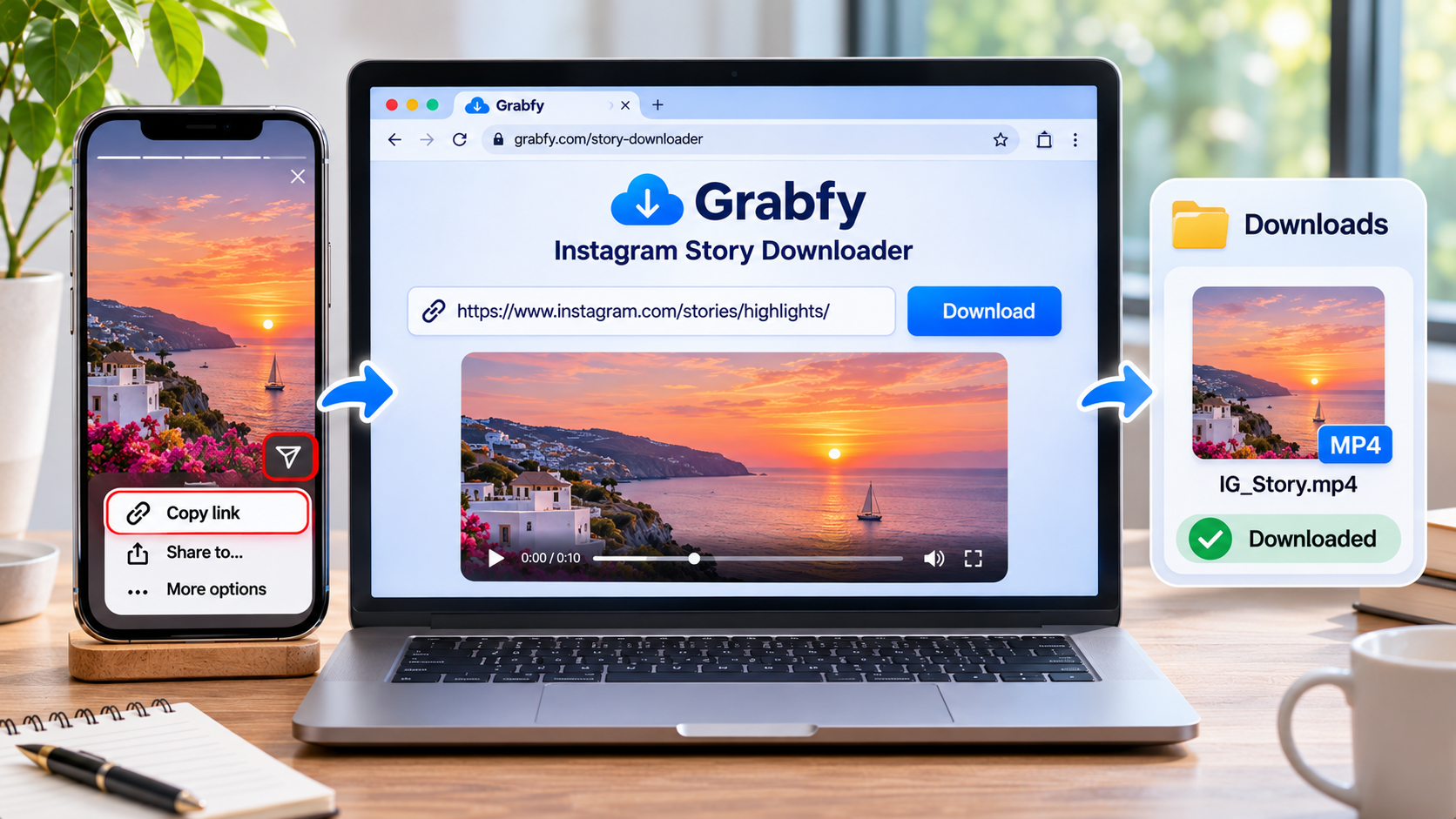
Want to download Insta Stories before they disappear? Whether you’re saving a tutorial, collecting creative inspiration, or keeping a public Instagram Story for offline reference, browser-based downloaders offer a convenient solution.
Grabfy helps users save supported public Instagram Stories without installing additional software or entering Instagram login credentials. However, understanding the benefits, limitations, and privacy considerations is essential before downloading content.
This guide explains how Instagram Story downloading works, what quality to expect, and how to save content responsibly.
Quick Answer: How to Download Insta Stories
You can download publicly accessible Instagram Stories through a compatible browser-based downloader.
The process involves three steps:
- Copy the Story link: Open Instagram, find the public Story, and copy its link using the available sharing options.
- Open the downloader: Paste the copied URL into a compatible Instagram Story downloading tool.
- Save the content: Select the available download option and save the photo or video to your device.
Downloaded files can generally be opened offline without returning to Instagram.
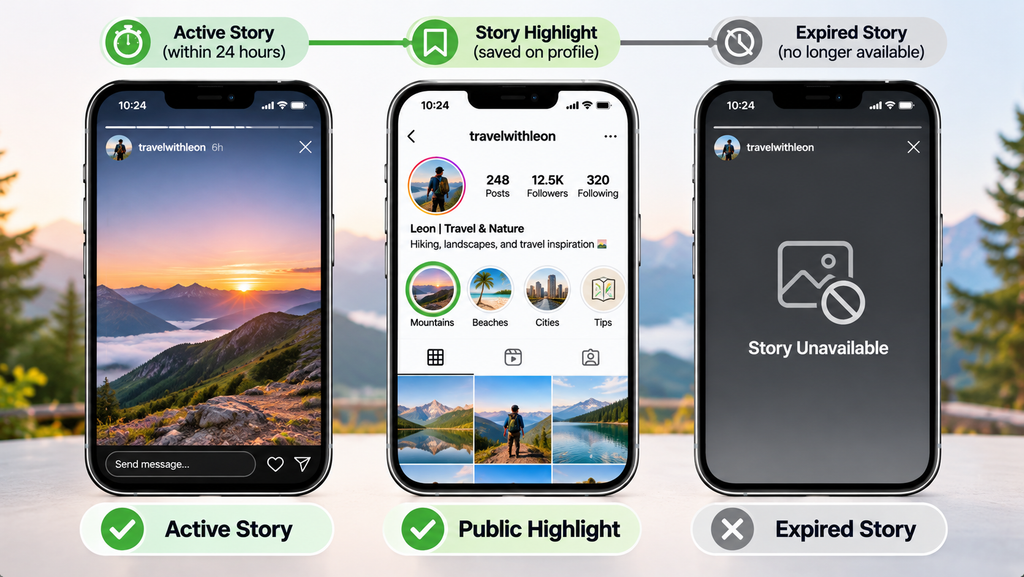
However, public downloaders cannot access private Stories, Close Friends content, or media that is no longer publicly available.
What Is an Instagram Story Downloader?
An Instagram Story downloader is an online tool designed to save supported Instagram Story photos and videos directly to your device.
Unlike screenshots or screen recordings, downloading an available media file may preserve the content without surrounding Instagram interface elements.
Instagram provides built-in options for saving your own Stories, but it does not offer a general download button for other people’s Stories.
Browser-based tools provide another option for publicly accessible content.
What Instagram Content Can You Save?
Depending on the downloader, supported formats may include:
- Public Instagram Stories containing photos.
- Short Story videos and announcements.
- Public Story Highlights.
- Instagram Reels and feed videos.
- Photos and carousel posts.
Availability varies according to Instagram’s restrictions and the downloader’s supported features.
Benefits of Downloading Instagram Stories
Downloading Instagram Stories can support several everyday activities, particularly when users need to revisit content after its normal viewing period.
1. Save Useful Content for Offline Viewing
Instagram Stories generally disappear after 24 hours unless their creators preserve them as Highlights.
Saving accessible content allows users to revisit tutorials, announcements, and creative references without repeatedly opening Instagram.
For this purpose, Grabfy offers a convenient browser-based solution for downloading supported public Instagram Stories, photos, and videos.
Its straightforward link-based process makes it useful for organizing visual references without installing separate applications or providing Instagram credentials.
2. Collect Creative Inspiration
Designers, photographers, and content creators frequently use Instagram Stories to explore visual trends.
Saved references can help users study composition, storytelling techniques, promotional layouts, and editing styles.
However, inspiration should support original creative work rather than unauthorized copying.
3. Preserve Authorized Campaign Materials
Social media managers may need copies of public Stories for campaign documentation, reporting, or internal research.
Downloading authorized content can help teams maintain organized records of promotional announcements and creative examples.
4. Access Content Across Devices
Browser-based downloaders can work on smartphones, tablets, and computers.
This flexibility makes it easier to save supported media using a preferred device.
How to Download Instagram Stories with Grabfy
Grabfy provides a practical workflow for saving publicly accessible Instagram media.
For Story-specific downloads, its Instagram Story Saver allows users to submit supported public Story links and save available files.
Step 1: Find the Public Story
Open Instagram or visit Instagram.com.
Navigate to the public profile containing the Story you want to save.
Check that the Story remains accessible and that Instagram provides a usable sharing link.
Step 2: Copy and Paste the URL
Copy the Story link through Instagram’s available sharing options.
Open the Grabfy Story downloader in your browser and paste the URL into its input field.
You do not need to sign in to Instagram through the downloader.
Step 3: Download the Available Media
Submit the link and follow the displayed download instructions.
Supported video Stories may be saved as MP4 files, while photo Stories may be available as JPG images.
The file generally appears in your browser’s designated download location.
Limitations of Instagram Story Downloading
Although downloading public Stories is convenient, several limitations affect what users can access.
Private Accounts Remain Restricted
Public downloaders cannot legitimately bypass private-account settings.
Stories shared with approved followers or Close Friends audiences remain restricted.
Expired Stories May Be Unavailable
Ordinary Instagram Stories typically disappear after 24 hours.
If a creator preserves a Story in a public Highlight, it may remain accessible through supported tools.
Otherwise, expired content generally cannot be retrieved through ordinary public downloaders.
Download Quality Depends on the Source
Instagram processes uploaded media, so quality depends on the source because files are retrieved directly from Instagram, and any quality loss from processing cannot be reversed.
A downloader cannot restore details already lost during processing.
Some public Stories can be downloaded in original quality or HD quality, but not beyond the source file.
Audio May Not Always Be Available
Story videos sometimes contain licensed music, narration, or other audio, and many users want to keep the background music when they download Insta Stories.
Downloadable versions may preserve the original story audio when available, but music licensing can still limit what is included.
Privacy Considerations When Downloading Insta Stories
Anonymous downloading generally means accessing public Story content without viewing it through your personal Instagram account.
When you watch a Story while signed in, Instagram may display your username in the creator’s viewer list.
A third-party service that retrieves public content without your Instagram login may avoid associating that request with your account.
However, this does not guarantee complete online anonymity.
Protect Your Personal Information
Third-party websites may process IP addresses, browser information, and other technical data.
For users seeking a convenient public-content workflow, Download Instagram photos using Grabfy’s browser-based tools, which do not require Instagram credentials for supported downloads.
When choosing any downloading service, check its privacy information and avoid unnecessary permissions.
Use a Dedicated Story Viewer When Needed
If your goal is viewing rather than downloading, Grabfy also provides an Instagram Story Viewer for supported public Stories.
Remember that neither viewing nor downloading tools should be used to bypass account privacy settings.
How to Download Instagram Stories on Different Devices
iPhone and iPad
Copy the public Story link in the Instagram app, open Safari, paste it into the downloader, and save the file, with the saved file going to Photos or Files depending on browser settings.
Check the Files app for downloaded media.
Android
Paste the Story URL into the downloader using Chrome or another compatible browser.
Saved files generally appear in Downloads or your file manager.
Windows and Mac
Open the public Story in your browser, copy its available link, and submit it to the downloader.
Check your browser’s Downloads folder after saving.
Safe, Legal, and Responsible Story Downloads
Public availability does not automatically grant permission to redistribute Instagram content.
Photos, videos, music, and creative designs may remain protected by copyright.
Saving a Story for personal reference differs from republishing it commercially.
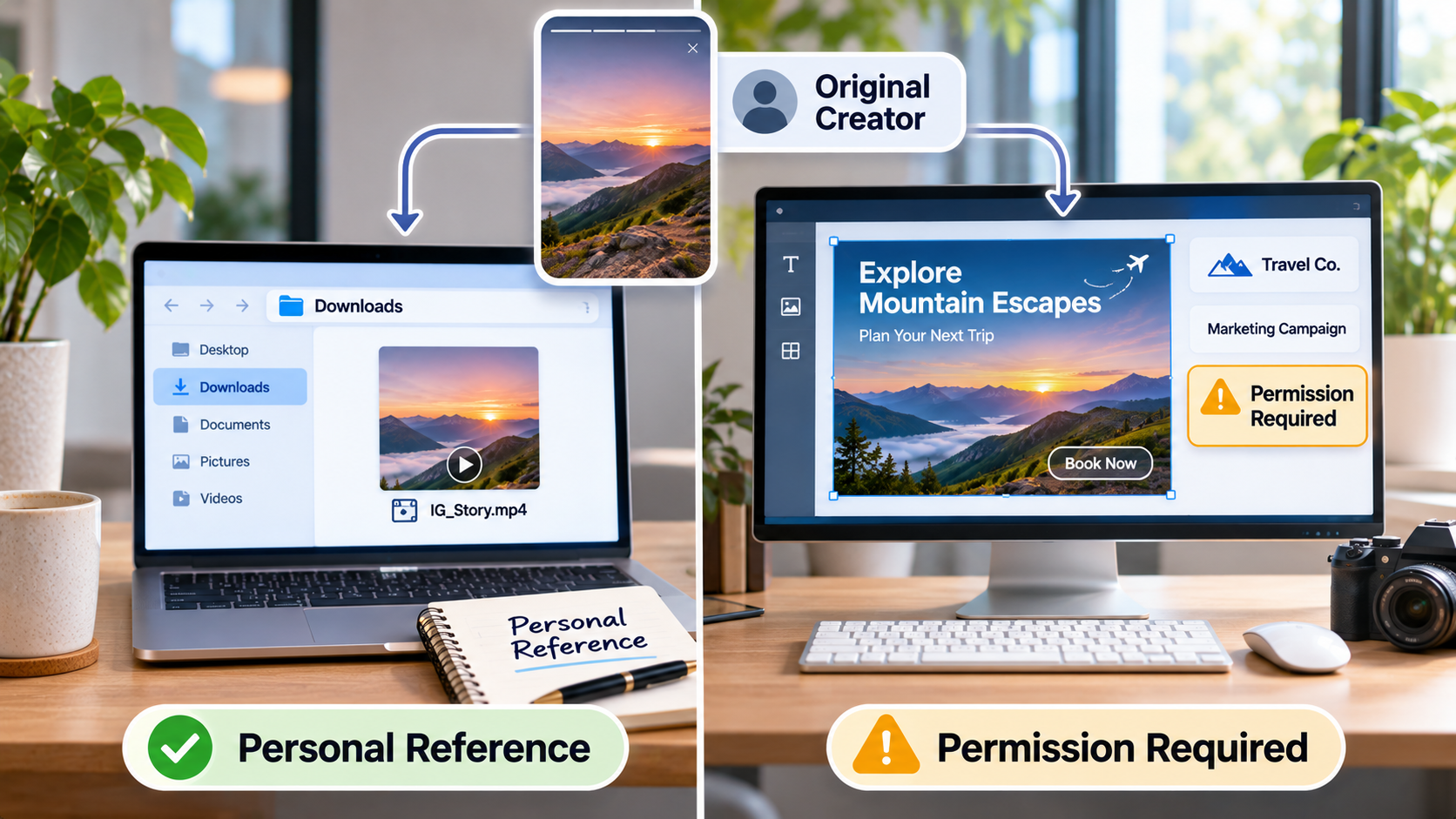
Obtain appropriate permission before using another creator’s work in advertising, promotional campaigns, or other projects requiring authorization.
Avoid suspicious websites requesting passwords, verification codes, or unnecessary software installations.
Frequently Asked Questions
Can I download Instagram Stories without an account?
Yes. Compatible browser-based tools can download supported public Stories without requiring an Instagram login.
Will someone know I downloaded their Story?
Instagram does not provide a standard notification for external Story downloads, and your username should not appear in the viewer list, so the account owner is not normally notified. However, viewing through a signed-in account may register a Story view.
Can I download expired Stories?
Generally, only if the content remains publicly accessible through Instagram highlights or another legitimate source. Once expired stories are removed from Instagram’s servers, they usually can’t be downloaded anymore.
Are Instagram Story downloads always in HD?
No. Downloads are only available in original quality or HD quality when the source supports it, so quality loss from Instagram’s processing cannot be undone.
Final Thoughts
Downloading Insta Stories provides a convenient way to preserve publicly accessible content for offline reference, creative inspiration, and authorized research.
Understanding download quality, privacy limitations, and copyright responsibilities helps users make informed decisions.
Choose reliable browser-based tools, respect private-account restrictions, and use downloaded content responsibly.

Written by Twastia Editorial Team
Twastia Editorial Team shares practical insights about website design, SEO services, Google Ads, content marketing, social media, conversion rate optimization, and digital marketing strategy.
Last updated: Nov 5, 2026
Related posts from Twastia
Explore more useful articles from twastia.com about digital marketing, SEO, websites, ads, content, and growth strategy.