3 Tips on Choosing the Best UPS for Your PC
Power outages can happen unexpectedly, interrupting important work, online meetings, gaming sessions, or creative projects. Even a brief interruption can […]
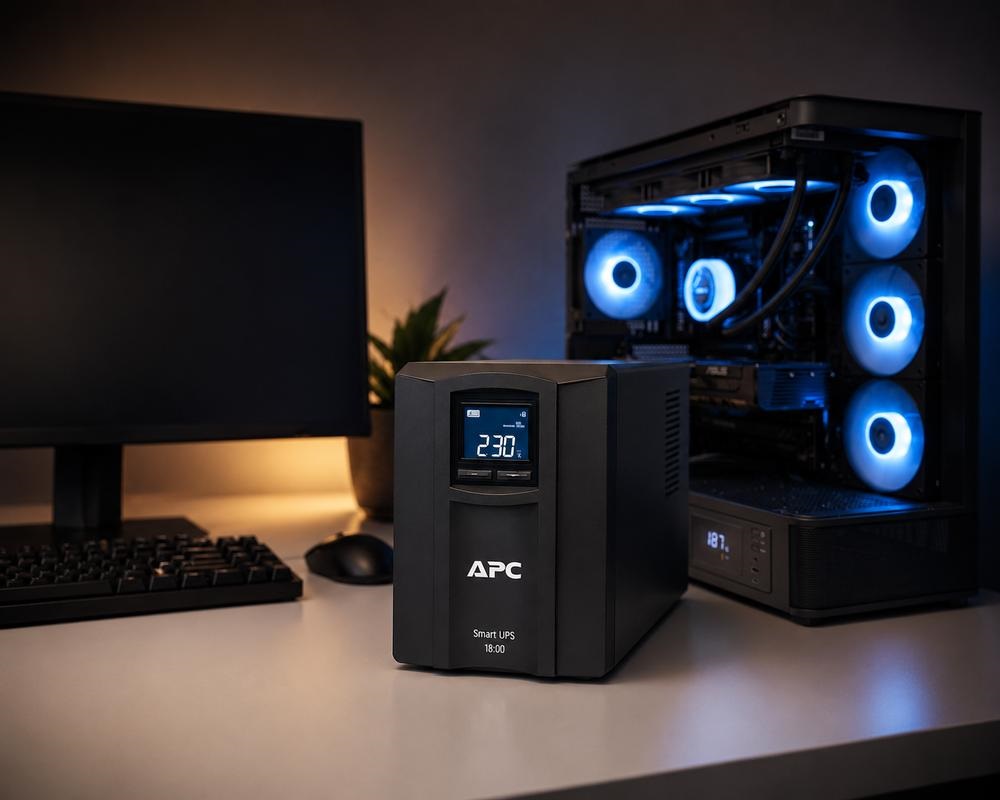
Power outages can happen unexpectedly, interrupting important work, online meetings, gaming sessions, or creative projects. Even a brief interruption can shut down your desktop computer before you have time to save your files.
Voltage fluctuations and electrical disturbances can also affect sensitive equipment. For anyone who depends on a reliable computer, investing in a suitable backup power solution is worth considering.
A UPS, or uninterruptible power supply, provides temporary battery power when normal electricity becomes unavailable. Depending on its design, it can also help protect connected devices against certain electrical disturbances.
However, choosing the right unit involves more than selecting the largest battery or most expensive model.
Understanding 3 tips on choosing the best UPS for your PC can help you find a device that matches your computer’s power requirements, provides adequate backup time, and offers the protection your equipment needs.
This guide explains UPS capacity, battery runtime, common technologies, important features, and practical buying considerations for American homeowners, remote workers, and PC gamers.
What Is a UPS for a PC?
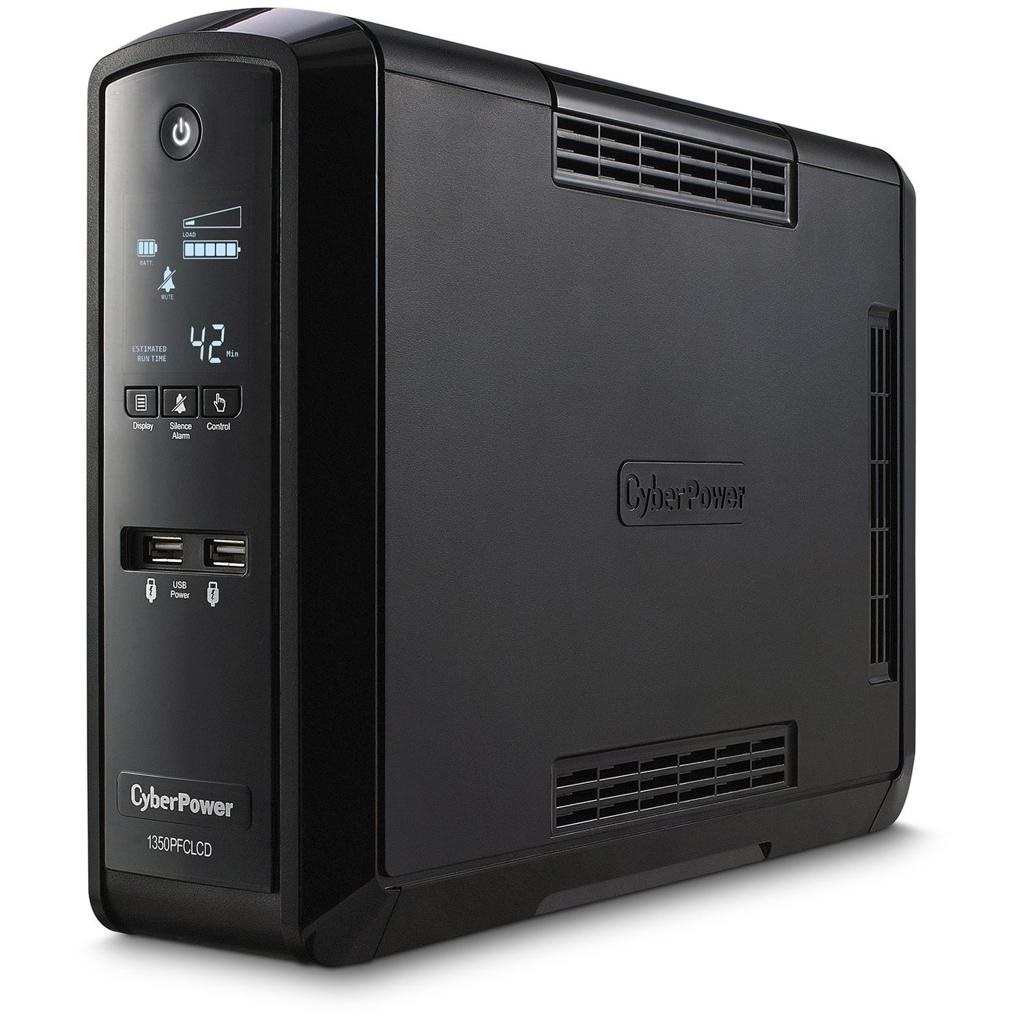
An uninterruptible power supply is a device that provides short-term electrical power when the main electricity supply fails.
Most consumer UPS systems contain a rechargeable battery, inverter, charging circuitry, and monitoring components.
How a UPS Works
During normal operation, the UPS receives electricity from a wall outlet and keeps its battery charged.
When utility power fails, the unit supplies electricity from its battery to supported equipment.
The transition and power-conditioning behavior depend on the UPS design.
Why Computers Need Backup Power
Desktop computers usually shut down immediately when electricity disappears.
A UPS provides a limited window to save documents, close applications, and shut down properly.
It can also help keep networking equipment powered temporarily.
UPS vs. Surge Protector

A surge protector is designed to limit certain electrical surges.
A UPS can include surge protection while also providing battery backup.
A basic surge protector cannot keep a desktop running during an outage.
Tip 1: Choose the Right UPS Capacity for Your PC
Capacity is one of the most important factors when purchasing a UPS.
A unit that cannot support your equipment’s electrical load may overload or shut down.
Understand Watts and VA Ratings
UPS products commonly display two ratings: watts and volt-amperes, or VA.
Watts measure real electrical power, while VA represents apparent power.
Both ratings matter because connected equipment must remain within the UPS’s specified limits.
For example, a unit advertised as 1500 VA may have a maximum output of 900 watts, depending on the model.
Never assume the VA number represents available watts.
Calculate Your Total Power Requirements

Start by identifying the equipment you want to protect.
Include your desktop computer, monitor, modem, router, and any essential accessories.
For an accurate estimate, measure actual power consumption using suitable equipment or review reliable manufacturer specifications.
A computer’s power supply rating is not necessarily its normal electricity consumption.
Leave Extra Capacity
APC recommends choosing a UPS with watt capacity approximately 20–25% above the connected equipment’s power demand.
CyberPower similarly recommends around 20–30% headroom.
Additional capacity helps accommodate changes in power consumption and future upgrades.
Example UPS Capacity Calculation
Suppose your setup includes a computer drawing 400 watts, a monitor drawing 40 watts, and a router drawing 10 watts.
The combined load is 450 watts.
Adding 25% headroom gives a target of approximately 563 watts.
You would therefore look for a UPS with a watt rating above that amount, while also checking its VA rating, peak-load behavior, and runtime.
Tip 2: Check Battery Runtime and UPS Technology
The second major consideration is how long the UPS can support your equipment.
Understand Battery Runtime
Runtime is the period a UPS can provide backup power at a particular connected load.
A UPS with a high capacity rating does not automatically offer long battery life.
Battery size, inverter efficiency, age, and connected wattage influence performance.
Decide How Much Time You Need
If your goal is simply to save files and shut down, a short backup period may be enough.
If you need time to finish a task or maintain an internet connection, you may want additional capacity.
Consult manufacturer runtime charts for realistic estimates.
Standby UPS
A standby, or offline, UPS provides basic battery backup and surge protection.
It is commonly used for straightforward home computer applications.
Line-Interactive UPS
A line-interactive model typically provides additional voltage regulation.
It can correct certain voltage fluctuations without switching to battery power.
This is often a practical choice for desktop computers and home offices.
Online Double-Conversion UPS
An online UPS continuously conditions power through its conversion system.
It offers a higher level of power conditioning but generally costs more and may use additional energy.
Such systems are more common where power quality or equipment availability is particularly important.
Tip 3: Prioritize Compatibility and Essential Protection Features
After selecting suitable capacity and runtime, evaluate the features that make the UPS useful.
Pure Sine Wave Output
Some UPS systems produce a simulated sine wave when operating on battery power.
Others provide a pure sine wave output that more closely resembles normal utility power.
Certain computers with active power factor correction, or active PFC, may work more reliably with pure sine wave UPS models.
Check compatibility guidance from your computer power supply and UPS manufacturers.
Automatic Voltage Regulation
Automatic voltage regulation, or AVR, helps correct certain low- or high-voltage conditions without immediately using battery power.
This feature can be valuable in locations with frequent voltage fluctuations.
Surge Protection
Look for clearly specified surge protection on appropriate outlets.
Some UPS devices also protect compatible communication connections.
Automatic Shutdown Software
A UPS with USB communication and compatible shutdown software can notify your computer when an outage occurs.
It may automatically save the system state or initiate a controlled shutdown, depending on configuration.
Replaceable Batteries
Many UPS batteries eventually require replacement.
A model with supported replacement batteries may be more practical over several years.
Choosing a UPS for Different PC Setups
Not every computer requires the same protection.
UPS for Home Office Computers
A typical home office may include a desktop, monitor, router, and small accessories.
Prioritize reliable battery backup, quiet operation, and automatic shutdown.
UPS for Gaming PCs
Gaming computers can draw substantial power, particularly when using powerful graphics cards.
Measure actual power consumption during demanding activities and allow capacity for brief power spikes.
Pure sine wave output may be preferable for systems using active PFC power supplies.
UPS for Small Business Workstations
Business users may prioritize runtime monitoring, replaceable batteries, technical support, and reliable shutdown software.
UPS for Networking Equipment
A modem and router may require much less power than a desktop.
A suitably rated UPS can help maintain local networking during some outages, although internet service may still fail elsewhere.
How Much Battery Backup Time Do You Really Need?
More runtime can be useful, but it increases cost.
Short Backup Requirements
Some users only need enough time to save work and shut down safely.
Longer Backup Requirements
People running important applications may require additional minutes.
Check runtime at your actual load rather than relying on general marketing descriptions.
Runtime Changes With Load
Adding equipment reduces available backup time.
An older battery may also deliver less runtime than a new one.
A UPS Is Not a Generator
Most consumer units are not designed to power a desktop for hours.
Long outages may require a different backup power strategy.
Understanding UPS Efficiency and Energy Costs
A UPS remains connected to electricity for much of its working life.
Why Efficiency Matters
Some power is lost during battery charging and electrical conversion.
An efficient design can reduce unnecessary energy consumption.
Look for ENERGY STAR Certification
ENERGY STAR identifies certified UPS products that meet applicable efficiency requirements.
Its product finder allows consumers to compare certified models.
Avoid Excessive Oversizing
Purchasing a dramatically oversized UPS may increase expense without providing proportional benefits.
Choose capacity based on realistic equipment demand and future requirements.
Important UPS Safety Considerations
A UPS is an electrical device and should be used according to its manufacturer’s instructions.
Choose the Correct Voltage
For a typical U.S. household, check compatibility with the intended 120-volt outlet and circuit.
Some higher-capacity systems require different electrical connections.
Avoid Overloading Outlets
Do not exceed the UPS’s watt or VA rating.
Connect only equipment permitted by the manufacturer.
Keep Ventilation Open
UPS units can generate heat.
Provide the required clearance and avoid covering ventilation openings.
Avoid Unsuitable Appliances
Printers with high startup demands, heaters, and other powerful appliances may be inappropriate for ordinary desktop UPS outlets.
Follow model-specific guidance.
How to Install and Set Up a UPS
Proper setup helps the system operate as intended.
Step 1: Choose a Suitable Location
Place the UPS on a stable surface with sufficient ventilation.
Keep it away from moisture and excessive heat.
Step 2: Follow Initial Charging Instructions
Some manufacturers recommend charging the battery before expecting full backup runtime.
Step 3: Connect Essential Devices
Use battery-backed outlets for equipment that must remain powered during an outage.
Some models also have surge-only outlets.
Step 4: Configure Shutdown Software
Connect the supported data cable and install compatible software where available.
Step 5: Test Safely
Use the manufacturer’s approved self-test procedure to verify operation.
Avoid improvised electrical tests.
Common Mistakes When Buying a UPS
Understanding common purchasing errors can prevent disappointment.
Looking Only at VA Ratings
Always check the maximum supported wattage.
Ignoring Actual Power Consumption
A high-performance PC may require significantly more capacity than a basic office desktop.
Assuming Every UPS Provides Long Runtime
Battery runtime varies greatly according to load and battery capacity.
Overlooking Output Waveform
Computer power supply compatibility matters, especially for demanding systems.
Forgetting Battery Replacement
UPS batteries wear out over time and require periodic monitoring.
How to Maintain Your UPS Battery Backup
Regular care helps maintain reliability.
Run Recommended Self-Tests
Many models offer automatic battery testing and fault alerts.
Keep the Unit Clean
Remove external dust carefully without opening the electrical enclosure.
Monitor Battery Condition
Replace batteries when the manufacturer indicates they are no longer reliable.
Avoid Excessive Heat
High temperatures can shorten battery life.
Keep the UPS in a suitable indoor environment.
Follow Battery Disposal Requirements
Used UPS batteries should be recycled or disposed of through appropriate local battery collection programs.
When Should You Replace Your UPS?
Sometimes replacing an older UPS is more sensible than repairing it.
Frequent Battery Failures
Repeated problems may indicate aging batteries or other internal faults.
Insufficient Capacity
A newer computer with a more powerful graphics card may exceed your old UPS’s capacity.
Missing Safety Features
Older equipment may lack useful monitoring, modern shutdown compatibility, or suitable output characteristics.
Manufacturer Support
If replacement batteries or official support are unavailable, upgrading may be the safer choice.
Frequently Asked Questions About UPS for PCs
1. What is the best UPS for a desktop PC?
The best UPS has sufficient watt and VA capacity, appropriate runtime, compatible output, and reliable protection features for your computer.
2. How many watts should my UPS support?
Calculate your connected equipment’s actual power demand and add approximately 20–30% capacity headroom.
3. Is a 1500 VA UPS enough for a gaming PC?
Possibly. It depends on the model’s watt rating, the gaming PC’s power consumption, and required runtime.
4. Does a UPS protect against power outages?
Yes. It provides temporary battery power during an outage, allowing continued operation for a limited period.
5. Do I need a pure sine wave UPS?
It can be beneficial for computers with active PFC power supplies. Confirm compatibility with your specific equipment.
6. How long does a UPS battery last?
Battery service life varies by chemistry, temperature, usage, and maintenance. Follow manufacturer testing and replacement guidance.
7. Can a UPS keep my internet working?
It may keep your modem and router powered, but service can still fail if your internet provider’s network loses power.
8. Is a UPS better than a surge protector?
A UPS provides temporary battery backup in addition to applicable electrical protection, while a basic surge protector does not supply backup electricity.
Conclusion
Understanding 3 tips on choosing the best UPS for your PC can help you protect important work, avoid unexpected shutdowns, and choose equipment suited to your needs.
Start by calculating the actual wattage of your computer and connected devices. Next, determine how much backup time you need and choose an appropriate UPS technology.
Finally, review compatibility, output waveform, automatic voltage regulation, surge protection, and shutdown software.
A reliable UPS does not need to be the most expensive model available. It needs to support your equipment safely and provide adequate backup time.
By comparing real specifications, allowing capacity headroom, and maintaining the battery properly, you can create a more dependable PC setup for everyday work, gaming, and home computing.

Written by Twastia Editorial Team
Twastia Editorial Team shares practical insights about website design, SEO services, Google Ads, content marketing, social media, conversion rate optimization, and digital marketing strategy.
Last updated: Oct 29, 2026
Related posts from Twastia
Explore more useful articles from twastia.com about digital marketing, SEO, websites, ads, content, and growth strategy.