Mission Platform: 9 Powerful Ways to Prevent Costly Drone Deployment Failures
A mission platform helps drone and robotics teams turn a one-time flight concept into a repeatable operational workflow. Instead of treating route […]
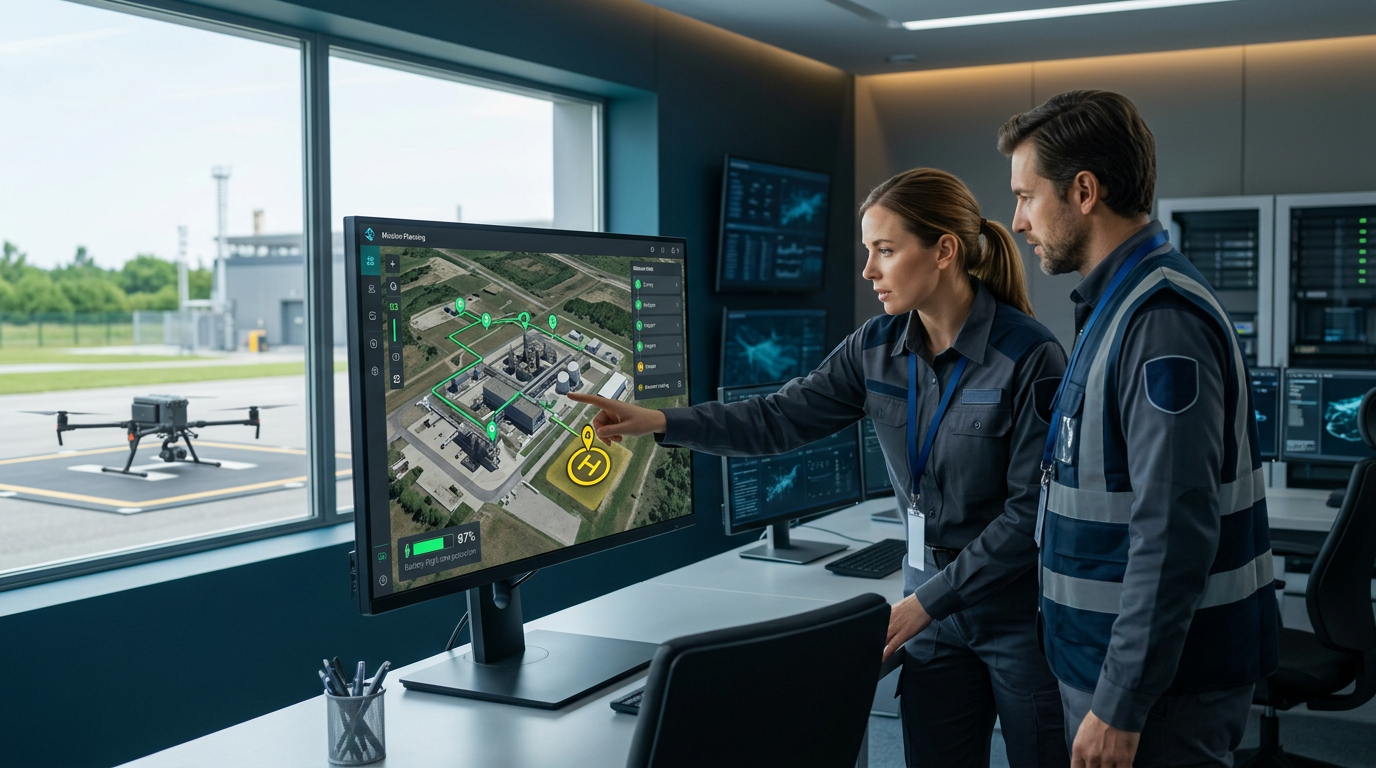
A mission platform helps drone and robotics teams turn a one-time flight concept into a repeatable operational workflow. Instead of treating route planning, simulation, device setup, deployment and fleet monitoring as disconnected tasks, the platform can bring them into one controlled lifecycle. This structure allows teams to test mission logic, terrain assumptions, battery margins, payload actions and contingency behaviour before field work begins. This guide explains how mission platforms support simulation-to-reality workflows, which capabilities matter and why software validation never replaces qualified pilots, current airspace checks or real-world risk management.
What Is a Mission Platform?
A mission platform is software used to design, simulate, validate, deploy and monitor drone or robotic missions. It may support one aircraft or a larger fleet, depending on the product and operating model.
Core capabilities can include:
- Visual mission design
- Waypoint and path planning
- Graph-based mission logic
- Terrain and obstacle context
- Digital-twin simulation
- Payload control
- Hardware onboarding
- Firmware and configuration checks
- Geofencing
- Contingency behaviour
- Fleet management
- Deployment versioning
- Telemetry
- Logs and analytics
- Role-based access
A basic flight-planning application may define a route, altitude and camera trigger. A broader mission platform can model states, transitions, dependencies and off-nominal actions across the entire workflow.
For example, an inspection mission might include takeoff, transit, sensor activation, orbit, image capture, quality check, reflight logic, return and data upload. If weather, battery or link status falls outside defined limits, the mission may pause, abort, return or hand control to the operator according to approved procedures.
Why One Successful Test Flight Is Not Enough
A clean test flight can prove that a drone flew a route under one set of conditions. It does not prove that another operator, aircraft or site can repeat the result safely.
One-off testing can conceal dependencies such as:
- The original developer’s local knowledge
- Manual adjustments not recorded in the plan
- Favourable weather
- A specific firmware version
- An untracked payload setting
- Good connectivity
- Unusually low air or ground traffic
- Fresh batteries
- A clear launch area
A mission platform can expose these assumptions by forcing the team to define states, parameters, configurations and acceptance criteria. Simulation can then challenge the workflow under controlled scenarios.
Repeatability is the threshold between a demonstration and an operational system. The goal is not merely to fly once, but to reproduce an approved outcome while recognising when conditions no longer support the plan.
9 Essential Capabilities of a Drone Mission Platform
The strongest platforms help teams manage mission behaviour and operational evidence rather than simply drawing lines on a map.
1. Mission Graph and Workflow Design
A complex autonomous mission is better represented as a workflow than a route alone. Graph-based tools allow designers to define states, decisions, actions and transitions.
A mission graph may include:
- Preflight readiness
- Takeoff
- Transit
- Payload activation
- Survey pattern
- Inspection orbit
- Quality check
- Battery decision
- Return-to-home
- Alternate landing
- Data handoff
A mission platform should show how the workflow reacts to success, failure, timeout and unexpected data. Every branch needs a defined destination.
Visual logic helps engineering, safety and operations teams review the same plan. It can also reveal dead ends, circular logic and actions that occur in the wrong order.
The graph should remain version controlled. Field operators need to know which approved mission release is deployed, not merely the latest draft saved by a developer.
2. Digital-Twin and Simulation Capability
Simulation lets teams test mission logic without exposing people, aircraft or property to every early failure. A digital environment may represent terrain, structures, sensors, aircraft dynamics and weather assumptions.
A mission platform simulation should answer questions such as:
- Does the path clear terrain?
- Do payload actions occur at the correct location?
- Does the route complete within battery limits?
- What happens after link loss?
- Are transition conditions reachable?
- Does the aircraft enter a restricted buffer?
- Can another operator understand the workflow?
Simulation fidelity should match the decision. A simplified model may be sufficient to test logic, while close-proximity inspection requires more accurate vehicle, sensor and environment representation.
A visually realistic simulation is not automatically valid. Model assumptions, data quality and limitations must be understood. The field remains different from the model.
3. Terrain, Obstacle and Reality-Layer Integration
Routes should be evaluated against the physical environment. Elevation changes, buildings, towers, vegetation and cables can affect clearance and communication.
A mission platform may combine:
- Digital elevation models
- Surface models
- Photogrammetry
- LiDAR
- Building data
- Site scans
- Geofences
- Operator-defined obstacles
Data age and resolution matter. A terrain model may not contain temporary cranes, new buildings, thin wires or seasonal vegetation.
The planner should identify required vertical and horizontal buffers. Terrain following also needs careful interpretation: maintaining height above a terrain model does not guarantee clearance from trees or structures.
Field reconnaissance and visual observation remain necessary. The reality layer supports decisions but does not prove the route is clear on the day of flight.
4. Device Onboarding and Configuration Control
A validated mission can fail when deployed to the wrong aircraft configuration. Hardware onboarding connects the mission to the real vehicle, payload, firmware and sensors.
The mission platform should record:
- Aircraft model and serial number
- Autopilot
- Firmware version
- Payload type
- Camera or sensor mapping
- Battery type
- Calibration status
- Communications links
- Safety equipment
- Maintenance status
Compatibility checks can prevent a mission from deploying to an unsupported vehicle. Configuration baselines also support investigation when two nominally identical aircraft behave differently.
Firmware updates should trigger review. A change can affect navigation, geofencing, camera commands, failsafe behaviour or telemetry.
Onboarding is not a substitute for preflight inspection. It is a controlled record of what the system expects to be present.
5. Battery and Energy Modelling
Battery endurance depends on payload, wind, temperature, speed, altitude, battery health and manoeuvres. A fixed manufacturer flight-time claim is not an adequate mission budget.
A mission platform should estimate energy use by segment and identify required reserve. It may help divide long routes into several flights or assign battery swaps.
Test scenarios should include:
- Headwind on return
- Cold battery
- Aged battery
- Extended hover
- Repeated manoeuvres
- Payload power draw
- Go-around
- Alternate landing
Battery thresholds must follow aircraft guidance and operator procedures. The correct reserve is mission specific.
Real telemetry should be compared with simulation after each mission. If the model consistently underestimates consumption, update assumptions before reuse.
Do not plan to land at zero indicated capacity. The mission should retain enough margin for contingencies defined by the operation.
6. Contingency and Off-Nominal Testing
Safe autonomy requires planned behaviour when conditions deteriorate. Off-nominal scenarios should be tested deliberately rather than discovered during field work.
Possible scenarios include:
- Command-and-control link loss
- GNSS degradation
- Low battery
- Sensor failure
- Payload fault
- Geofence approach
- Unexpected obstacle
- Weather change
- Operator abort
- Landing-zone obstruction
- Traffic conflict
A mission platform should let teams define and simulate responses such as hover, return, land, continue, replan or transfer control. No response is universally correct.
The team should understand priority. A return-to-home path can create risk if it climbs into controlled airspace or crosses a populated area. Automatic landing can be unsafe if the location is unsuitable.
Contingency logic needs field validation under controlled conditions before operational reliance.
7. Deployment Pipeline and Version Control
Moving a mission from draft to simulation and live operation should be an explicit release process.
A controlled pipeline can use stages such as:
- Draft
- Engineering review
- Simulation passed
- Safety review
- Field test approved
- Field test passed
- Operational release
- Retired
The mission platform should preserve mission parameters, software version, maps, configurations, approvals and test evidence.
A last-minute route edit should create a new revision and trigger defined review. It should not silently overwrite the approved mission.
Deployment controls can prevent unauthorised users from releasing changes to a fleet. Role-based access and electronic approvals help separate authoring, review and operation.
Rollback is equally important. If a release produces unexpected behaviour, the team should restore the previous validated version without reconstructing it manually.
8. Fleet Monitoring and Operational Awareness
Fleet operations require awareness of vehicle status, mission assignment, telemetry and operator responsibility.
A mission platform may monitor:
- Position
- Altitude
- Speed
- Battery
- Link health
- Payload status
- Mission phase
- Alerts
- Maintenance due
- Software version
- Operator
Dashboards should prioritise actionable alerts rather than display every data point equally. Excessive alarms can lead to missed critical events.
Multi-drone operations add deconfliction, shared airspace and communication complexity. A platform can support coordination, but the operation still needs approved procedures and compliance with applicable aviation rules.
Remote monitoring should not create ambiguity about who has operational authority. The pilot in command and supporting roles must be clearly defined.
9. Logs, Analytics and Continuous Improvement
Post-flight data closes the loop between simulation and reality. Teams can compare planned and actual route, energy, timing, payload actions and alert history.
Useful records include:
- Mission revision
- Aircraft configuration
- Operator
- Weather
- Start and end times
- Track log
- Battery data
- Link quality
- Deviations
- Alerts
- Manual interventions
- Payload results
- Incident or near-miss reports
A mission platform should support immutable or controlled records and useful export. Data retention, privacy and access should match organisational and regulatory needs.
Analytics can identify repeated route inefficiency, battery underperformance or location-specific link problems. Lessons should feed back into mission templates and training.
A successful flight can still reveal a weak process if the operator intervened repeatedly. Review both outcome and execution.
Mission Platform vs. Flight-Planning Software
Flight-planning software focuses mainly on route and command creation. It may provide waypoints, survey grids, camera triggers and mission upload.
A mission platform typically adds broader lifecycle functions:
- Reusable mission logic
- Simulation
- Device management
- Versioning
- Deployment approvals
- Fleet status
- Operational logs
- Analytics
- Team permissions
A small operator running straightforward visual-line-of-sight mapping may need only capable flight-planning software. An enterprise deploying repeatable inspections across sites may benefit from a larger platform.
The decision should reflect mission complexity, team size, hardware diversity, risk and governance. More features do not automatically create safer operations. A platform must fit the procedures and be used correctly.
Mission Platform for Mapping and Surveying
Mapping missions require consistent image coverage, ground sampling distance and georeferencing.
Planning inputs can include:
- Area boundary
- Altitude
- Terrain following
- Camera model
- Forward overlap
- Side overlap
- Speed
- Shutter interval
- Oblique capture
- Control points
A mission platform can simulate coverage and split large areas across batteries. It can also standardise templates across pilots.
Overlap should be chosen for terrain, vegetation, surface texture and processing method rather than copied blindly. Reflective water, uniform crops and dense trees can require different planning.
The final quality should be checked in the field before leaving the site. A completed route does not guarantee usable imagery. Blurred photos, exposure changes and missing geotags can force a reflight.
Mission Platform for Infrastructure Inspection
Inspection missions may target bridges, towers, roofs, solar farms, power lines, pipelines and industrial facilities.
These operations often require close proximity, repeatable viewpoints and controlled sensor angles. The mission platform should coordinate:
- Standoff distance
- Structure geometry
- Camera orientation
- Thermal or LiDAR settings
- Route direction
- Lighting
- Obstacle buffers
- Link quality
- Emergency escape path
Thin wires, reflective surfaces and magnetic interference can challenge sensing and navigation. A site model may not capture every hazard.
Mission simulation can test viewpoints and coverage, but qualified operators must assess current conditions. Facility permissions, shutdowns and safety coordination may also be required.
Repeatability is valuable for change detection. Use stable reference frames, payload settings and mission releases so data can be compared across inspections.
Mission Platform for Public Safety
Public-safety missions can involve search, incident mapping, situational awareness and disaster assessment. Conditions may change rapidly, and urgency can pressure teams to skip planning.
A mission platform can provide templates and role-based workflows, but the mission must remain adaptable. Airspace, manned aircraft, responders, bystanders and sensitive data require careful management.
Important capabilities include:
- Rapid mission setup
- Geofencing
- Live telemetry
- Secure video
- Evidence logs
- Team roles
- Offline operation
- Incident mapping
- Data retention
- Remote observer coordination
Simulation is most useful before emergencies, when teams can test standard scenarios and train operators. During an incident, approved templates can reduce cognitive load.
Technology should not replace incident command or aviation authority. Responsibilities and communication channels need to be clear.
Mission Platform for Agriculture and Environmental Monitoring
Agricultural missions may include crop imaging, stand counts, irrigation assessment, spraying where authorised and environmental surveys.
Planning should account for:
- Field boundaries
- Terrain
- Vegetation height
- Wind
- Sensor calibration
- Sun angle
- Overlap
- Chemical handling where applicable
- People and livestock
- Adjacent property
A mission platform can create repeatable routes for seasonal comparison. Consistency in altitude, time, sensor and processing helps make data comparable.
Vegetation changes over time, so an old terrain or surface model may not reflect canopy height. Birds and wildlife also introduce unpredictable hazards.
Spraying operations have additional aircraft, product, drift, licensing and environmental requirements. Simulation is not authorisation to conduct an operation.
Mission Platform for Multi-Drone Operations
Multiple drones can increase coverage, but they also increase coordination and failure modes.
The platform may support:
- Mission partitioning
- Vehicle assignment
- Spatial separation
- Time separation
- Shared geofences
- Fleet telemetry
- Conflict alerts
- Battery rotation
- Operator roles
Multi-drone simulation should test launch order, communication load, route intersections and contingency behaviour. If one vehicle returns early, its route should not conflict with another.
Human supervision capacity is a limiting factor. A dashboard that displays many vehicles does not prove one person can manage them safely or legally.
Use conservative progression: validate one vehicle, then small coordinated operations, before scaling fleet size.
Regulatory and Airspace Considerations
A mission platform can display airspace information and operational restrictions, but it should not be the only compliance source.
Before flight, qualified personnel should verify:
- Current airspace
- Authorisations
- Temporary restrictions
- Notices
- Weather
- Visual-line-of-sight or other operational limits
- Pilot qualifications
- Aircraft registration
- Remote identification where applicable
- Operations over people
- Night operations
- Local land-use permissions
Rules vary by country and operation. BVLOS, autonomous, swarm and higher-risk missions may require specific approval.
The person responsible for the operation must understand which platform data are current and which require confirmation elsewhere. Cached maps and old terrain are not enough.
This guide provides general information and is not legal or aviation-operational advice.
Weather and Environment Modelling
Weather can change energy use, control authority, sensor quality and communication.
Relevant variables include:
- Wind speed and direction
- Gusts
- Temperature
- Precipitation
- Visibility
- Cloud ceiling
- Humidity
- Icing
- Solar activity where relevant
A mission platform may model wind, but local turbulence near buildings, ridges and trees can differ substantially from regional forecasts.
Set operating limits from aircraft documentation, organisational procedures and risk assessment. Use site observations immediately before and during flight.
Environmental conditions also affect payloads. Thermal imaging depends on temperature contrast, while photogrammetry can be degraded by harsh shadows or changing light.
Data Security and Mission Platform Governance
Mission data can include critical infrastructure, private property, personal information and operational procedures. Security needs to cover both the platform and exported data.
Review:
- Encryption
- Identity management
- Multi-factor authentication
- Role permissions
- Audit logs
- Data residency
- Retention
- Backup
- API access
- Vendor subprocessors
- Incident response
- Offline capability
Mission platform accounts should not be shared. Operators need individual identities so approvals and changes remain attributable.
Aircraft credentials, video links and API keys should be protected. Departing employees should lose access promptly.
Sensitive customers may require private cloud or on-premises deployment. Security claims should be supported by architecture and contractual commitments.
Hardware and Autopilot Compatibility
A platform’s value depends on its connection to real aircraft and payloads.
Check support for:
- Aircraft models
- Autopilots
- Communication protocols
- Ground control stations
- Cameras
- LiDAR
- Thermal sensors
- Custom payloads
- Docks
- Edge computers
- Remote controllers
A mission platform may support route upload but not every advanced command or failsafe on a given autopilot. Test the exact hardware and firmware combination.
Avoid assuming that a standard protocol guarantees full feature compatibility. Vendors may implement commands differently.
Maintain a supported-configuration list and block unapproved combinations from production deployment.
Simulation-to-Field Validation Process
A disciplined progression might include:
- Define mission objective and acceptance criteria.
- Build mission logic.
- Verify route and terrain.
- Run nominal simulation.
- Run off-nominal scenarios.
- Review by engineering and safety teams.
- Confirm hardware configuration.
- Conduct controlled field test.
- Compare simulation with telemetry.
- Correct assumptions and retest.
- Approve operational release.
- Monitor field performance.
The mission platform should capture evidence at each stage. A passed simulation should not automatically authorise live deployment.
Field tests should begin in a controlled environment with conservative boundaries and trained observers as appropriate. Escalate complexity gradually.
Common Mission Platform Mistakes
Treating a route preview as validation
A visible path does not prove correct mission logic, energy margin or contingency behaviour.
Trusting old terrain data
Construction, vegetation and temporary equipment can make models outdated.
Ignoring configuration drift
Firmware and payload changes can invalidate earlier simulation results.
Using one battery estimate for every aircraft
Battery health, temperature and payload affect endurance.
Editing approved missions in the field
Uncontrolled changes should trigger a new revision and review.
Automating without a safe abort path
Operators need defined intervention and contingency procedures.
Relying on one airspace source
Platform information should be confirmed through current authoritative sources.
Collecting logs without reviewing them
Post-flight data should improve models, templates and training.
How to Choose a Mission Platform
Evaluate the platform against actual use cases.
Ask:
- Can it represent mission states and transitions?
- Which simulation models are supported?
- Can it import terrain or digital twins?
- How are hardware and firmware controlled?
- Does it support contingency testing?
- Is deployment versioned and approved?
- Which aircraft and payloads are compatible?
- Can teams monitor fleets?
- Are logs exportable?
- Does it support offline operations?
- How is sensitive data protected?
- What APIs are available?
Run a pilot using a real mission and complete sim-to-field workflow. A polished demo can hide integration and governance gaps.
Mission Platform Cost and Value
Pricing can depend on users, aircraft, simulation minutes, storage, missions, API use and enterprise support.
Total cost includes:
- Subscription
- Hardware integration
- Custom development
- Digital-twin data
- Training
- Validation
- Cloud compute
- Storage
- Support
- Security review
- Migration
A mission platform creates value when it reduces rework, field failures, training inconsistency and deployment time. Measure those outcomes rather than only counting generated missions.
Avoid buying features without a defined process. Software cannot improve operations when teams continue using uncontrolled local files and undocumented field changes.
Conclusion
A mission platform can connect drone mission design, simulation, device onboarding, deployment, fleet monitoring and post-flight analysis into one controlled lifecycle. It helps teams move beyond one-off demonstrations toward repeatable operations.
The strongest workflows validate mission behaviour, terrain fit, energy margins, hardware readiness and contingency responses before field deployment. Version control and approval gates prevent unreviewed changes, while telemetry and logs feed real-world evidence back into simulation.
A mission platform does not make a mission automatically safe or compliant. Qualified operators must verify current airspace, weather, site hazards, aircraft condition and legal authority for every operation. Used with disciplined procedures and progressive field testing, the platform can reduce avoidable failures and support more reliable autonomous drone programmes.
FAQs
1. What is a mission platform for drones?
It is software that helps teams design, simulate, validate, deploy, monitor and analyse repeatable drone or robotic missions.
2. How is a mission platform different from flight-planning software?
Flight planning focuses on routes and commands, while a broader platform adds simulation, device control, deployment versions, fleets, approvals and analytics.
3. Can simulation replace a real drone test flight?
No. Simulation identifies logic and planning issues, but controlled field testing is still required to validate real aircraft, sensors, links and environments.
4. What should drone mission simulation test?
It should test route geometry, terrain, mission states, payload actions, battery use, communication loss, low power, aborts and alternate landing behaviour.
5. Can a mission platform manage multiple drones?
Some platforms support fleet assignment, telemetry and coordinated missions. Multi-drone operations still require appropriate procedures, supervision and legal authority.
6. Does mission-planning software guarantee regulatory compliance?
No. Operators must verify current airspace, restrictions, authorisations, pilot requirements, weather and site permissions through authoritative sources.

Written by Twastia Editorial Team
Twastia Editorial Team shares practical insights about website design, SEO services, Google Ads, content marketing, social media, conversion rate optimization, and digital marketing strategy.
Last updated: Aug 15, 2026
Related posts from Twastia
Explore more useful articles from twastia.com about digital marketing, SEO, websites, ads, content, and growth strategy.